
Every frontier vendor publishes one. Almost no one reads them.
Why this matters
If you are evaluating an AI tool for use at work, or you sit in a governance, risk or compliance role that has to opine on one, the model's safety card is the single richest source of evidence you have. Vendors publish them precisely because regulators, enterprise buyers and journalists demand them. They are imperfect, partial, and shaped by the vendor's narrative. They are also vastly more useful than a sales deck.
Most safety cards run 30 to 80 pages. Most of that is methodology and marketing. The substance lives in seven sections. This article tells you which seven and what to look for.
What we are reading
Different vendors call them different names.
- Anthropic publishes system cards (and a Responsible Scaling Policy update with each major model)
- OpenAI publishes model specs and system cards
- Google DeepMind publishes model cards
- Meta publishes model cards alongside open-weights releases
- Microsoft publishes responsible AI impact assessments for Copilot
The structure is similar enough that the reading method below works for all of them.
The seven sections that matter
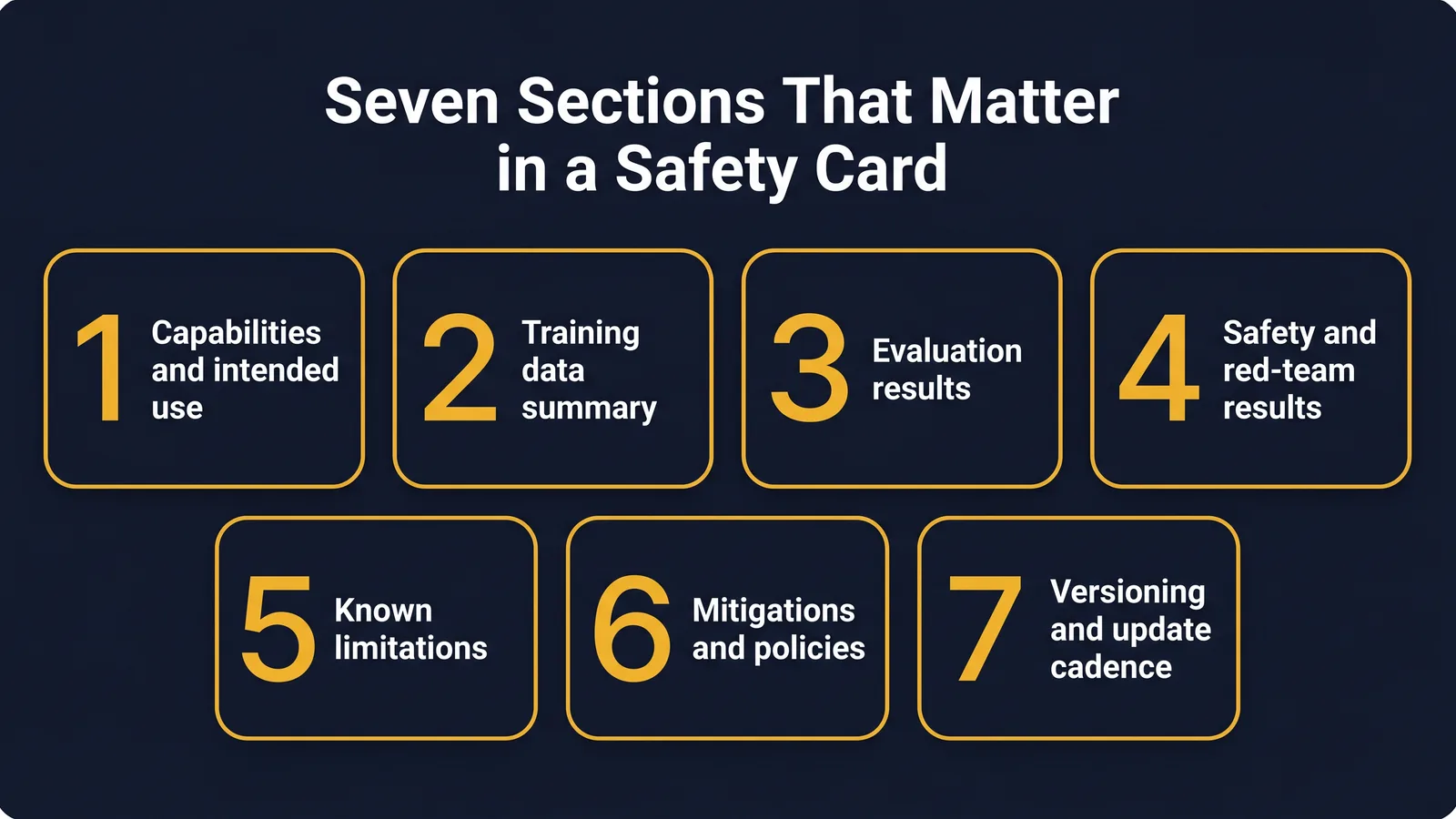
1. Capabilities and intended use
The vendor's statement of what the model is for. Read this first because everything else is contextualised by it. If the intended use case excludes your workflow, stop and read no further.
What to look for: explicit lists of supported and unsupported use cases. Be alert to phrases like "general assistant" with no narrowing. Vague intended use is a tell that the vendor does not yet have a clear view of where the model fails.
2. Training data summary
A short section, usually one to three pages. Does not list every source. Does usually state high-level categories (web, books, code, licensed data, synthetic), the cut-off date, and whether opt-out mechanisms exist for sites and creators.
What to look for: cut-off date (so you know what the model does not know), licensing posture, and any data the model has been deliberately filtered to exclude or include.
3. Evaluation results
The largest section by page count and the one most readers skim past. Numbers on benchmarks like MMLU, math reasoning, coding, multilingual, agentic tasks. The numbers themselves are less useful than three things.
First, the comparison set. What models is this one tested against. If the comparison is only against the vendor's own previous release, suspicion goes up.
Second, the tasks chosen. Are they relevant to your workflow. A model that scores 95 on a maths benchmark may score 60 on long-form drafting.
Third, the gap between in-house and external benchmarks. Models often score higher on the vendor's bespoke eval than on standardised public ones.
4. Safety evaluations and red-team results
This is where serious safety teams spend their time. Categories typically include: harmful instructions, biosecurity, cybersecurity, persuasion, child safety, autonomy, and capability uplift.
What to look for: refusal rates and over-refusal rates, results from external red teams (the named groups, not just "we worked with experts"), and known failure modes. A safety card with no acknowledged failure modes is incomplete by definition.
5. Known limitations
Where the model is bad. The vendor's own statement.
What to look for: explicit limitations on factuality, context window edge cases, multilingual performance, and any domain the vendor flags as out of scope. Read this section twice. It is the most candid part of the card.
6. Mitigations and policies
Usage policies, abuse-detection systems, takedown processes, and human oversight requirements. For enterprise tools this also covers data handling.
What to look for: explicit prohibitions (use cases the vendor will not support), enforcement mechanisms, and how the policy interacts with your sector. If you work in regulated finance, healthcare or government, look for sector-specific guidance.
7. Versioning and update cadence
How often the model is updated, whether older versions remain available, and how customers are notified of changes. A safety card that does not commit to versioning discipline is a tell that production users will be surprised by silent updates.
Three red flags to watch for
Marketing prose where evidence should be. "We've worked extensively with leading experts" with no list of the experts. "Robust safety evaluations" with no methodology. The vendors who do safety well tend to also document it precisely.
No acknowledged failure modes. Every model has them. A card that does not name them has not been written by the people doing the actual testing.
Benchmarks chosen by the vendor with no public counterpart. Bespoke evaluations have a place, but a card that ranks a model only against its own internal yardsticks is not making a falsifiable claim.
What a card cannot tell you
The model's behaviour in your specific workflow with your specific data is the gap between the card and reality. The card describes the model in lab conditions. Your work is field conditions. The two never match perfectly.
This is why reading the card is the start of the evaluation, not the end. The card narrows the questions you ask in your own pilot. It does not answer them.
For workers compensation, governance and HR readers in particular: nothing in any vendor card replaces your obligation to assess fitness for purpose against your regulatory framework. Use the card as evidence, not as cover.
How vendors differ on safety-card discipline
The four major frontier vendors do not produce safety cards of equal quality. After a year of reading them in 2025 and 2026, three observations hold.
Anthropic publishes the most detailed system cards. Their Responsible Scaling Policy framework structures the document around capability thresholds and the mitigations that apply at each. The cards name external red teams, list specific evaluation suites, and acknowledge failure modes by category. They are the closest thing to a working standard the field has.
OpenAI's model specs and system cards have grown more rigorous since GPT-5. Older cards were thin. The 2025 and 2026 cards are substantially more detailed, particularly on agentic capability evaluations. They are not yet at Anthropic's level of structural transparency, but the trend line is up.
Google's model cards are technically thorough but corporately framed. The evaluation tables are excellent. The narrative around safety and use-case constraints is more cautious in tone. Treat the data as the substance and the prose as context.
For Microsoft Copilot, what you read is not a vendor model card in the same sense. It is a Responsible AI Impact Assessment that frames Copilot as a product layered on top of underlying models. The document focuses on the integration controls (tenant data, audit logs, sensitivity labels) more than on the underlying model's behaviour. Both layers matter, and both are worth reading.
What to do with the information
A safety card is evidence in three different conversations.
Buying decisions. When evaluating a tool for use at work, the safety card is one of the inputs. It does not decide the question alone, but a vendor that publishes a careful, honest safety card is signalling something about how they think. A vendor that publishes a thin one is also signalling something.
Governance reviews. When your privacy officer, compliance team or risk committee asks "what do we know about this tool", the safety card is a primary source. Quote from it. Cite the specific evaluations. Note the limitations the vendor has admitted. The card gives you defensible language for your own review.
Pilot scoping. When you run a pilot, the limitations section of the card tells you what to test for. If the vendor says "the model performs less consistently in long-form drafting in non-English languages", and your pilot involves long-form drafting in English, you have a signal that this is a weak spot to monitor in production even on its strongest task.
The pattern across the three uses is the same. The card narrows the question. Your own evaluation answers it.
A 20-minute read pattern
- Skim the executive summary (2 minutes)
- Read intended use carefully (2 minutes)
- Note the training data cut-off and licensing posture (2 minutes)
- Skim the eval results, looking only at tasks relevant to your work (5 minutes)
- Read the known limitations section twice (3 minutes)
- Read the safety evaluations summary, focusing on red-team named groups and refusal rates (4 minutes)
- Note the versioning policy (2 minutes)
Total: 20 minutes. You will not be a safety researcher at the end of it. You will be a much better-informed buyer or governance reviewer than 99 percent of the colleagues who never opened the document.
A quick taxonomy of safety-card claims
A working tip for reading carefully: separate the four kinds of claim a card can make.
Capability claims. "The model achieves X on benchmark Y." Look for the comparison set and check whether the benchmark is standardised or vendor-bespoke.
Safety mitigation claims. "We have implemented Z." Look for the named mitigation, the evaluation that tests it, and the residual risk the vendor admits.
Governance claims. "Our policy prohibits use case X." Look for the enforcement mechanism. A policy without enforcement is a press release.
Versioning claims. "We commit to A in our update process." Look for the documented cadence and notification path.
A card that mixes the four without distinction is harder to evaluate. A card that separates them is doing the reader a favour and signalling discipline at the vendor.
Try this
Open Anthropic's most recent Claude system card or OpenAI's latest model spec. Use the 20-minute read pattern above. Write three sentences on what changed since the previous version: one on capability, one on safety mitigations, one on a limitation the vendor newly admits.
Glossary
System card. Anthropic's term for the public document describing a model's design, evaluation results, known limitations, and safety mitigations.
Eval. A standardised test that measures how a model behaves on a defined task.
Red team. A group of testers who try to make a model behave badly so the failure modes can be catalogued and mitigated.
Refusal rate. How often the model declines to answer a prompt. Over-refusal and correct refusal are tracked separately.
Capability uplift. The increase in what a user can do with a tool that they could not do without it.
Where to go next
- Choosing Claude, ChatGPT, Gemini or Copilot for your job
- Privacy-Safe AI for Regulated Work
- Prompt Engineering Fundamentals 2026
TheAICommand. Intelligence, At Your Command.