
Better prompts are the single biggest skill multiplier of 2026.
Why this matters now
The frontier models that shipped through 2025 and 2026 are markedly better at following precise instructions and markedly less forgiving of vague ones. The same model will produce a one-paragraph generic answer to a sloppy prompt and a structured, audience-aware briefing note to a precise one. The skill ceiling went up. The skill floor stayed where it was.
If you are using AI for professional work in workers compensation, governance, HR, or general office tasks, your hourly value to your team rises and falls with how well you prompt. This article is the 2026 update on the basics. Read it once. Apply it for a week. The compounding is fast.
The mental model: the model is your most literal junior
Your AI assistant is the most literal new graduate you have ever worked with. It will follow instructions exactly, has read more than any human alive, and has zero context about your role, your organisation, or the document on your screen unless you supply it. Treat every prompt as a task brief to a brilliant but contextless junior. Be specific. State the constraints. Show the format you want.
Everything below is mechanics for doing that consistently.
The RCTF pattern (Role, Context, Task, Format)
Every professional prompt should hit four beats. Skip any one of them and quality drops.
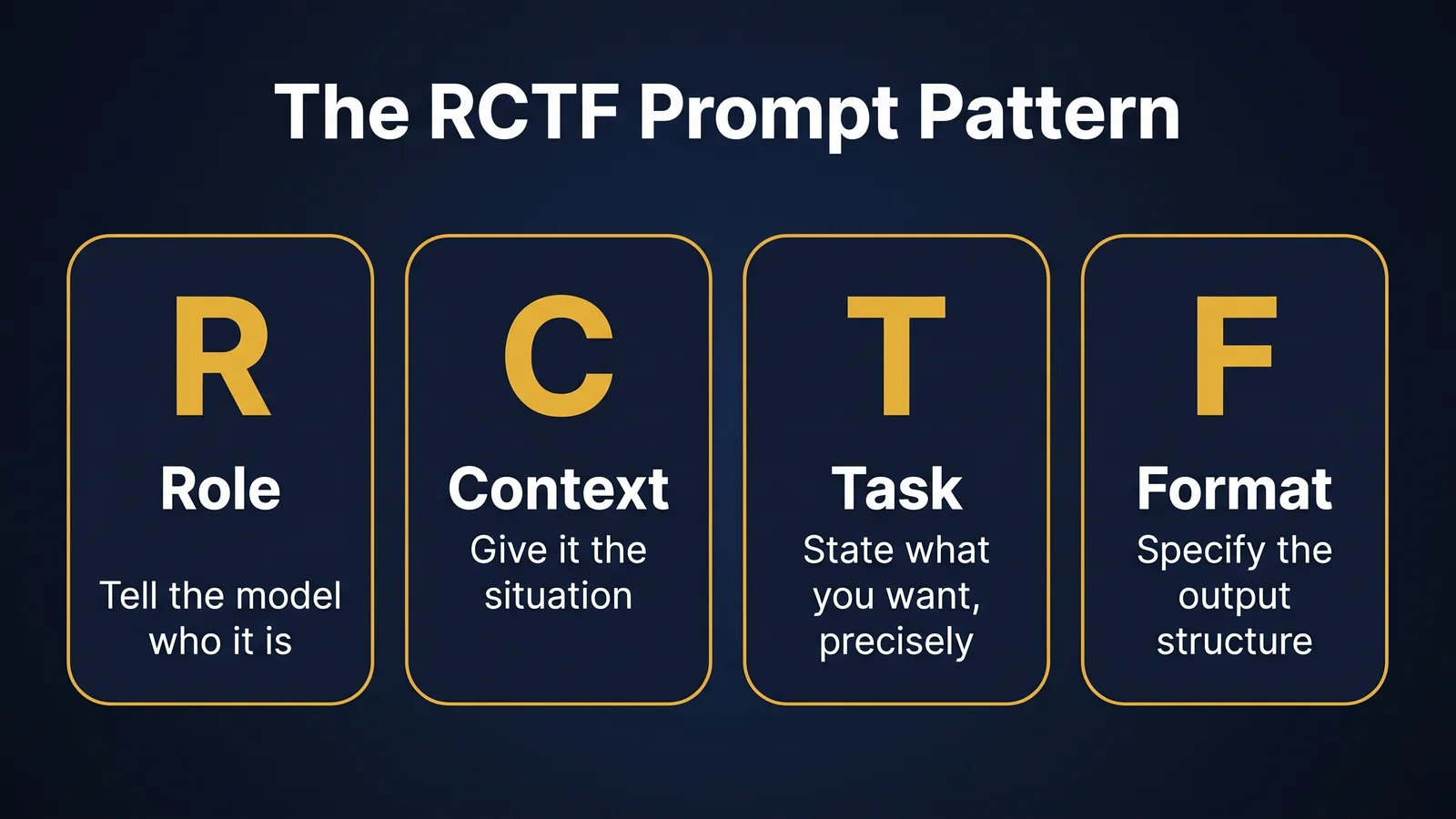
Role
Tell the model who it is. Vocabulary, tone, technical depth and risk posture all shift based on the role you assign.
You are an experienced compliance analyst at an APRA-regulated bank.
Context
Give the model the situation. The reader, the constraint, the document, the deadline. Anything you would brief a graduate on before handing them a task.
I am preparing a board paper on AI tooling. The audience is non-technical directors. The constraint is two pages. The deadline is Tuesday.
Task
State what you want, using a precise verb. Not "discuss" or "look at". Use "summarise", "compare", "draft", "list", "rewrite", "identify".
Draft a one-page executive summary of the attached APRA letter.
Format
Tell the model the structure. This is the most underused element of every prompt. The model will pick a default if you do not. Pick for it.
Structure: Issue (two sentences). Three key obligations (bullet points). Recommended next step for the board (one paragraph). No preamble. No closing pleasantries.
Stitched together, that is a working RCTF prompt. Run it. Inspect the output. Iterate.
Three patterns that consistently improve output
These are the three pattern upgrades that pay off most often in professional work.
1. Negative instructions
Tell the model what not to do as well as what to do. Frontier models will eagerly add caveats, generic advice, and "I am not a lawyer" disclaimers unless you tell them not to.
Do not include generic AI disclaimers. Do not summarise information that is not in the source document I have provided. If the source does not answer my question, say so explicitly.
2. Reasoning steps for analytical tasks
For anything multi-step or analytical, ask the model to think before it answers. In 2026 this maps to the reasoning budget setting on Claude and ChatGPT, but the prompt instruction works on any model.
Work through this step by step before giving your final answer. State your reasoning, then state your conclusion.
3. Examples (one-shot or few-shot)
If you want a particular tone, length or format, show the model a worked example. One example is usually enough for tone. Two or three is usually enough for format.
Here is the style I want, using a fictional file note.
>
[paste a sanitised example]
>
Now produce a file note of the same style for the situation below.
Common mistakes
Treating the chat box like Google. A search engine wants three keywords. A model wants a paragraph of context. Underprompting is the single most common cause of disappointment.
Asking five questions in one prompt. Break complex tasks into a sequence of focused prompts. The output is materially better and easier to review.
Accepting the first answer. The first reply is the start of a conversation, not the end. Follow up. "Make paragraph two more concise. Use 'employee' rather than 'worker' throughout. Drop the closing summary." This is where the real productivity sits.
Not saying what success looks like. "Good" to the model is the statistical average of every example it has seen. "Good for me" is whatever you tell it. Define success in the prompt.
What changed in 2026
Three things have meaningfully shifted in how prompts behave on frontier models compared to 2024.
Reasoning budgets matter. Claude and ChatGPT now expose a reasoning budget setting on their largest models. When you ask the model to think before answering, the budget controls how long it spends. For analytical work, set a higher budget. For drafting work, set a lower one. The effect is visible. A high reasoning budget on a complex compliance question can lift output quality by a band. A high reasoning budget on a routine email is a waste.
Long context windows reward direct citation. With two-million-token context windows, you can paste a whole regulator letter and a whole internal policy together and ask the model to compare them. The catch: when you put a lot of context in, the model can lose the thread. Tell it explicitly which sections to draw from. "Compare section 4 of the regulator letter with paragraphs 12 to 17 of the policy." Direct citation in the prompt holds attention.
System prompts are the most under-used lever. A persistent instruction at the top of a Custom Project shapes every conversation inside it. Putting your role, constraints and house rules into the system prompt rather than retyping them every chat changes the productivity arithmetic. This is covered in detail in Custom Projects vs Raw Chats.
Two patterns for high-stakes work
The patterns above work for everyday prompts. For high-stakes work (a board paper, a determination letter, a regulator response), two extra patterns earn their keep.
Self-critique
After the model generates an output, ask it to critique its own work before you accept it.
Now act as a senior reviewer of the draft you just produced. List three weaknesses in the draft and propose one specific fix for each.
The model is often more candid about its own draft than you expect. Use the critique to drive the next iteration.
The two-model check
For anything that will leave your hands, run the same prompt on a second model and compare. If Claude and ChatGPT both arrive at the same conclusion, your confidence rises. If they diverge, you have flagged a real ambiguity worth thinking about yourself. Five minutes of cost. Material risk reduction. Use this on anything regulated.
A worked example
A weak prompt:
Write me an email about the AI policy.
A strong prompt using RCTF and a negative instruction:
You are a senior HR business partner at an Australian financial services firm. I am sending a team email to twelve mid-career employees about a new AI tool policy that comes into effect on 1 May. The tone should be confident, not nervous. The constraint is 150 words.
>
Draft the email. Structure: one-sentence opener, three short policy points as bullets, one closing line offering a 15-minute drop-in for questions.
>
Do not add a generic AI disclaimer. Do not write a subject line. Do not include placeholder names.
The second prompt produces something close to publishable on the first run. The first prompt will not.
Prompt patterns by audience
The same RCTF pattern fits every professional audience. Some role-specific notes are worth holding in mind.
Workers compensation case management. Always include a de-identification instruction in the system prompt or the first prompt of any chain. "All claim data has been de-identified before being shared with you. Do not invent claimant names, claim numbers, or treating practitioner identities. If a piece of information is not in the source material I provide, say so and stop." This is a baseline, not a flourish.
Governance, risk and compliance. Cite the primary source. Prompts that ask for analysis of a regulator's letter, an APRA standard, or an ASIC statement should always paste the source text into the prompt rather than relying on the model's recollection. The model's training cut-off and the regulator's most recent update do not always align.
HR practice. De-identify employee data before pasting. The role prompt should anchor the audience ("draft this for a non-HR manager" or "draft this for an executive sponsor") because HR communications shift sharply by audience.
General office work. The biggest leap in quality usually comes from the format instruction. Most general-office tasks have a specific output shape (an email, a status update, a one-pager). Specifying the shape on every prompt is the highest-return habit.
These role-specific notes do not replace the RCTF pattern. They sit on top of it.
Try this
Open Claude or ChatGPT and pick a recurring task you do this week (drafting an email, summarising a meeting, writing a status update). Write a vague one-line prompt first. Then rewrite it using Role, Context, Task and Format with at least one negative instruction. Run both and compare the outputs side by side. The size of the gap is the size of your skill ceiling lift.
Glossary
Prompt. The instruction you give a language model. Includes the question, the context, and any rules about the output format you want back.
System prompt. A separate, persistent instruction that sits above the conversation and defines the assistant's role, constraints and behaviour for every turn.
Token. The unit of text a model reads and writes. Roughly three quarters of a word in English.
Hallucination. When a model produces a confident output that is factually wrong or invented. Most common when the prompt asks for facts the model does not have.
Reasoning budget. A 2026 setting on frontier models that controls how long the model thinks before answering. Higher budgets help on multi-step analytical work.
Where to go next
- Custom Projects vs Raw Chats: when to give your prompts a permanent home
- Choosing Claude, ChatGPT, Gemini or Copilot for your job
- First AI Workflow Without Code: stitching a prompt into a daily routine
TheAICommand. Intelligence, At Your Command.